Property maintenance

✔ More insight and oversight
✔ Adapts to your processes
✔ Higher first time fix rate

    Satisfied tenants through excellent service

    As a housing association or property manager, you want your tenants to live, work and relax comfortably. Proper maintenance is essential for that. And of course, you want to carry it out as efficiently as possible. This helps you reduce costs and keep tenants satisfied. Discover Sigmax Connect.


    Carry out multiple jobs at one customer without duplicate administration

    Sometimes several jobs need to be carried out at the same location. With Sigmax Connect, the technician can handle multiple activities as a single job, completing the work without any duplicate actions. The technician can also view upcoming maintenance required at the location. If there is time left, they can take care of it right away.

    Higher first time fix

    You want to complete tasks as efficiently as possible — ideally in one go. Sigmax Connect helps increase your first time fix rate:
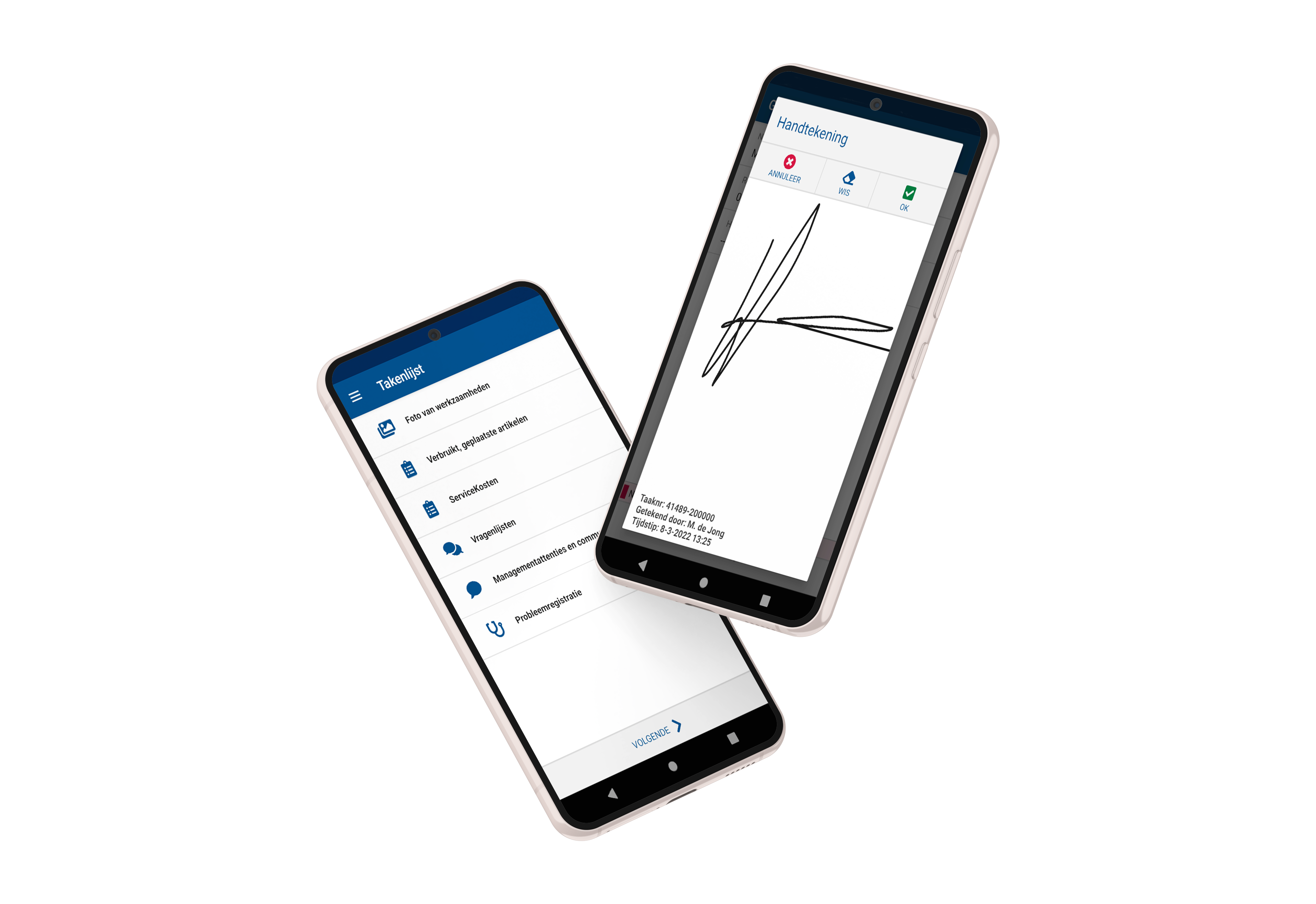

    • Technicians have all essential information, attachments and checklists quickly at hand in one place.
    • Dynamic workflows in Connect show the technician exactly what they need, at the right moment.
    • Used materials are recorded accurately and largely automatically. This ensures technicians always have the right materials to complete the job.

    Read more about Connect

    Important information instantly available

    With Connect, the technician can quickly see where he needs to go and what the issue is. He can also view the maintenance history. Has something changed in an installation within a property? The technician can update this information directly in Connect.

    Seamless integration

    Your systems should complement and strengthen each other. They need to do what they do best, while also fitting seamlessly into the bigger picture. Connect integrates easily with ERP and planning systems.
    View all partners and integrations

    Automatic administration

    In Connect, travel time, hours worked and materials used are registered automatically wherever possible. This leaves your technicians with more time for what truly matters.
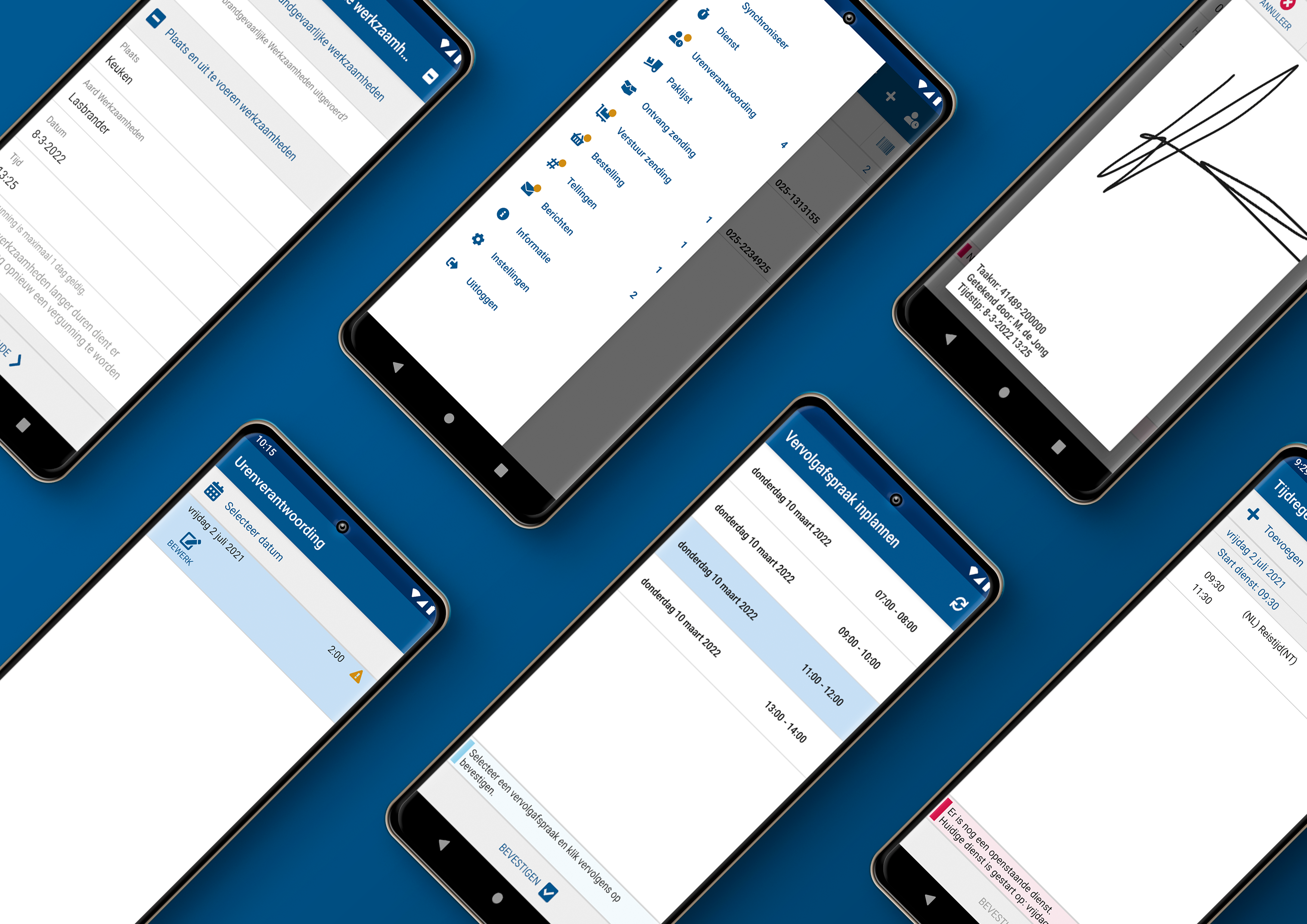
    Smooth communication

    With Connect, you ensure smooth communication and happier tenants:

    • With Connect, your customers are always informed about the latest planning and automatically receive a notification when the engineer is on the way. This significantly reduces the chance of a no-show situation.
    • Let customers sign for approval with the engineer and even pay immediately if needed.
    • Did something not go as planned? No problem. With Connect, the engineer can schedule a follow-up appointment on the spot with your tenant. Much more customer friendly.

    Request a demo

    The most useful features for property maintenance:
    Approval
    After the work has been completed, the customer signs in Connect to approve the job. For assignments with multiple objects to be serviced, the customer only needs to sign once. Customer friendly and time saving.
    Working time registration
    Correct labour time registration is essential for billing. In Connect, this process can be automated.
    Attachments
    Add photos, sketches, PDF and Excel files.
    Bundling work orders
    Combine multiple objects to be serviced into a single assignment.
    Communicate with the field service team
    Send technicians messages or documents via Connect. Technicians can also receive urgent jobs directly in Connect.
    Configurable questionnaires
    Add mandatory questions or make them dynamic by using conditional questions. The possibilities are endless.
    Register commercial opportunities
    Technicians can conclude service and maintenance contracts on site via Connect. They can also record commercial opportunities for the sales department through questionnaires.
    Customer engagement
    Automatically send customers updates about schedules and work orders.
    Direct payment
    Allow the customer to pay immediately at the door after the work is completed — directly in Connect and without an external payment terminal.
    Invoicing and payment
    Invoices are automatically generated based on time registration and used materials. Warranty conditions, contract coverage and payment terms are taken into account. Customers can then pay the invoice directly in Connect, for example via contactless payment or direct debit authorisation.
    Photos and sketches
    Add multiple photos, sketches or other attachments to your work order. Photos and attachments can be configured as mandatory or optional at various stages in your workflow.
    IoT support
    Insight into performance, status and exact location of assets. Automatic alerts in case of malfunctions.
    Location tree
    When a building contains multiple objects to be serviced, technicians need to know their precise locations. The location tree gives clear insight into all objects and their exact locations within Connect.
    Logistics and inventory management
    100 percent error free inventory management thanks to the registration of all item movements. Insight into your own warehouse and third party stock (e.g. nearby technicians). Correct stock differences between warehouses and check received goods.
    Material registration
    Scan used materials or add them manually. Adjust quantities and always have insight into the full item catalogue.
    Navigation and track and trace
    Address details are filled in automatically. Navigate directly via Google Maps from within Connect. Real-time insight into technician location. Automatic location registration when statuses change.
    Asset management
    In Connect, you can link objects to locations (location tree), view contractual agreements, and modify object properties. Technicians can also add new objects or replace existing ones.
    Unplanned tasks
    Technicians gain insight into unplanned tasks via Connect — ideal when they unexpectedly have time left.
    Online customer information
    In case of malfunctions outside office hours, it is efficient to have insight into payment arrears, contracts and object history beforehand. This helps the technician decide whether a work order should be created in the ERP or planning system.
    Issue registration
    Easily register a problem or defect in Connect. Based on the selected issue, the technician is guided through the analysis and registration process.
    Smart notifications
    Inform your customers proactively and in real time about the time window of planned work or changes. Customers automatically receive an email, SMS or WhatsApp message with the expected time window.
    Time registration
    Technicians quickly and easily register their worked hours or shifts in Connect.
    Schedule follow-up appointments
    If a job cannot be completed in one visit, schedule a new appointment together with the customer immediately — convenient and customer friendly.
    Stock management
    Service employees count their vehicle stock several times a year. This allows technicians to carry out stock counts between jobs without sacrificing an entire workday.
    Sigmax successful case studies

    Woningcorporatie De Alliantie

    De Alliantie has a true passion for housing and decided to automate the field service for repairs and inspections of nearly 60.000 homes. ORTEC and Sigmax Field Service Solutions supported the housing association in this process.

    Read this caseCheck all cases

    Wooncorporatie De Key

    More than 40 service technicians from housing association De Key provide tenants with the best possible service every day. Sigmax assisted the Amsterdam-based housing association in transitioning to a new mobile application to support their service organization.

    Read this caseCheck all cases

    Curious? We’d be happy to give you a demo!


    Leave your details and we will contact you to arrange a free demo.

      You will receive a response from us within a few working days