Installation technology

✔ More jobs with the same number of engineers
✔ Accurate administration
✔ Higher first-time-fix rate

    These service companies are already working more efficiently

    Satisfied customers through good service

    Your installations make your customers’ lives easier. But only if they keep working. You also have SLAs that you need to meet. That is why you want to maintain your installations on time, efficiently and properly. This is a challenge, especially when you manage a large number of installations, possibly spread across locations throughout the country. With Sigmax Connect, you make this easy.

    Fast and accurate administration

    To work efficiently, it is essential that administration is completed quickly yet accurately. Connect supports engineers in achieving this. Travel time, working hours and used materials are recorded automatically as much as possible. Need to transfer measurement values? We can automate that too. This means the engineer is finished quickly, and the recorded values are always correct.
    Do more with the same number of engineers

    Good engineers are hard to find, especially nowadays. That’s why it’s important to get the most out of the engineers you already have. With Sigmax Connect, you save valuable time by increasing the first-time-fix rate. Here’s how:

    • Important information (such as maintenance history and contract details), attachments and checklists are all available in one place.
    • With the dynamic workflows in Connect, engineers see exactly what they need, at the right moment.
    • Customers know when the engineer will arrive, thanks to smart notifications. This reduces the chance of no-access situations.
    • Used materials are registered accurately and largely automatically in Connect, saving valuable time.

    Request a demo

    Fewer missed appointments

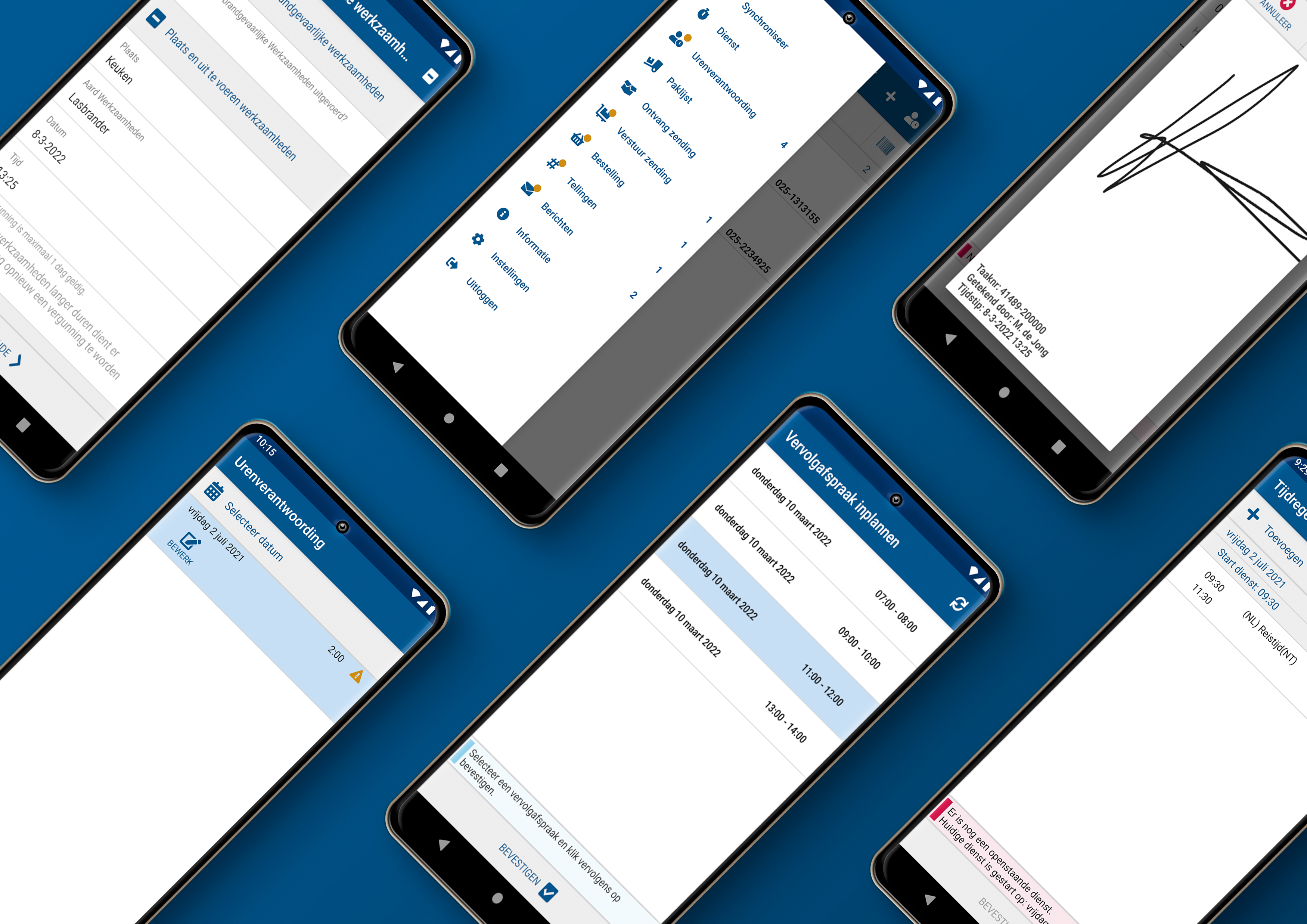
    With Connect, your customers are always informed about the current schedule and automatically receive a notification when the engineer is on the way. This significantly reduces the likelihood of a missed appointment.

    Schedule follow up appointment

    Clear information straight away

    Sometimes, it unfortunately isn’t possible to complete a job successfully in one visit. With Connect, the engineer can schedule the follow up appointment directly with the customer on site. Much more customer friendly.

    Turn your engineers into ambassadors

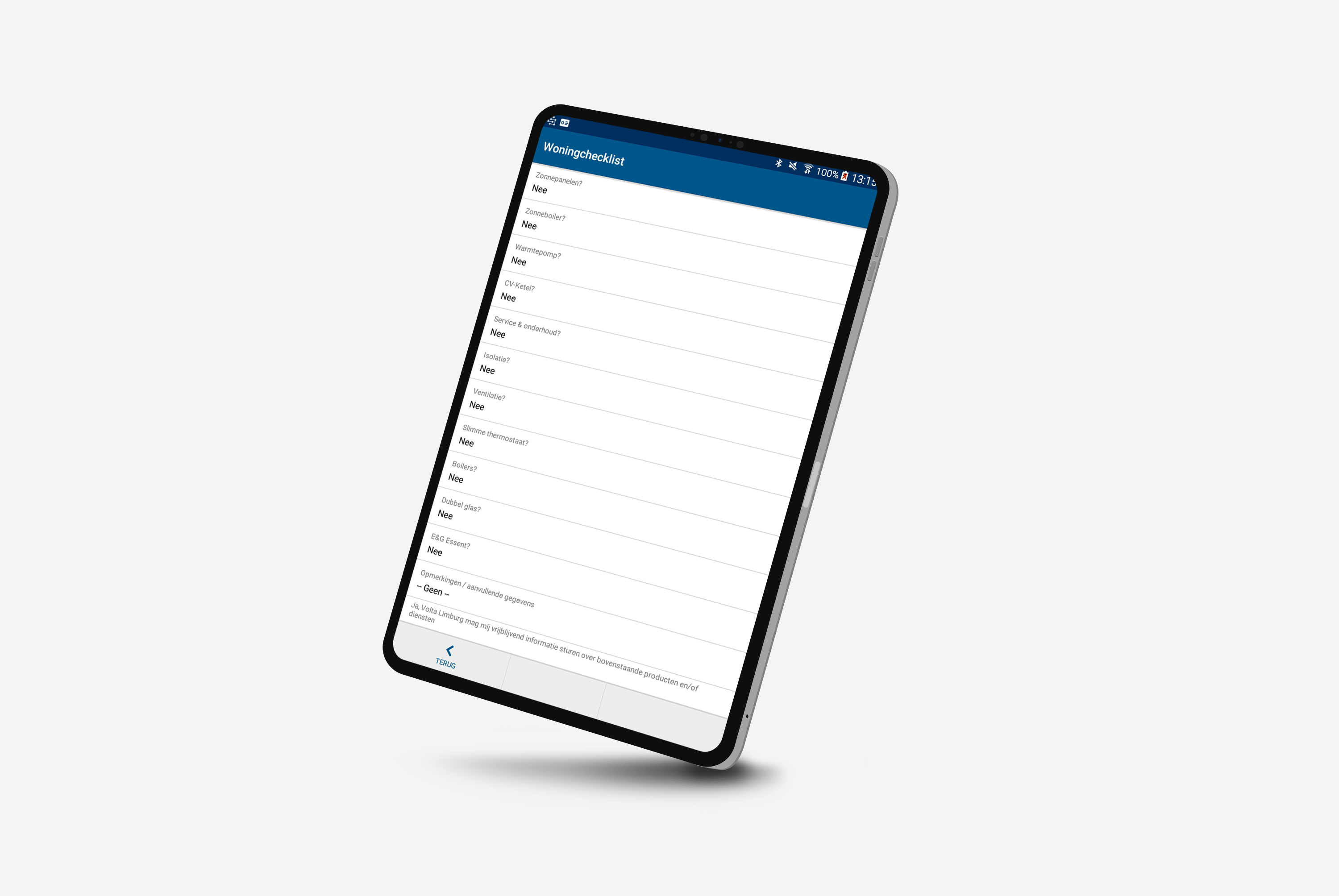
    Your field staff are in direct contact with customers and are the face of your company. During a job, the engineer can immediately advise the customer about other services and products. Think of taking out maintenance contracts or identifying opportunities for selling new or replacement installations. The service engineer records this directly in the field service solution, after which it is automatically forwarded to the sales department.

    “The checklist in Connect ensures that service engineers can advise customers on new services and products such as heat pumps, insulation, ventilation and solar energy. Condition measurements, recording unsafe situations and taking out contracts can also be handled through the smart questionnaires. As a result, we have seen sales figures rise significantly.”

    Bart Zorge – Operations Coordinator at Volta Limburg
    Read the full customer case

    Highly stable software

    Software failures that prevent your engineers from doing their work — it is a scenario you want to avoid at all costs. Connect is highly stable because our software is built from fixed components that are thoroughly tested and optimised. This ensures you can always rely on it.

    Customers rate the reliability of Connect with a 9.

    Moves with your processes

    Perhaps you are expanding your service portfolio, legislation is changing or a new customer comes with new requirements. In that case, your existing software may no longer be sufficient after only a few years. This often results in suboptimal workarounds (such as Excel sheets and paper forms) or expensive customisation. Connect consists of fixed components, but is flexible to configure. This allows you to adjust your workflows effortlessly as circumstances change – without sky-high costs.
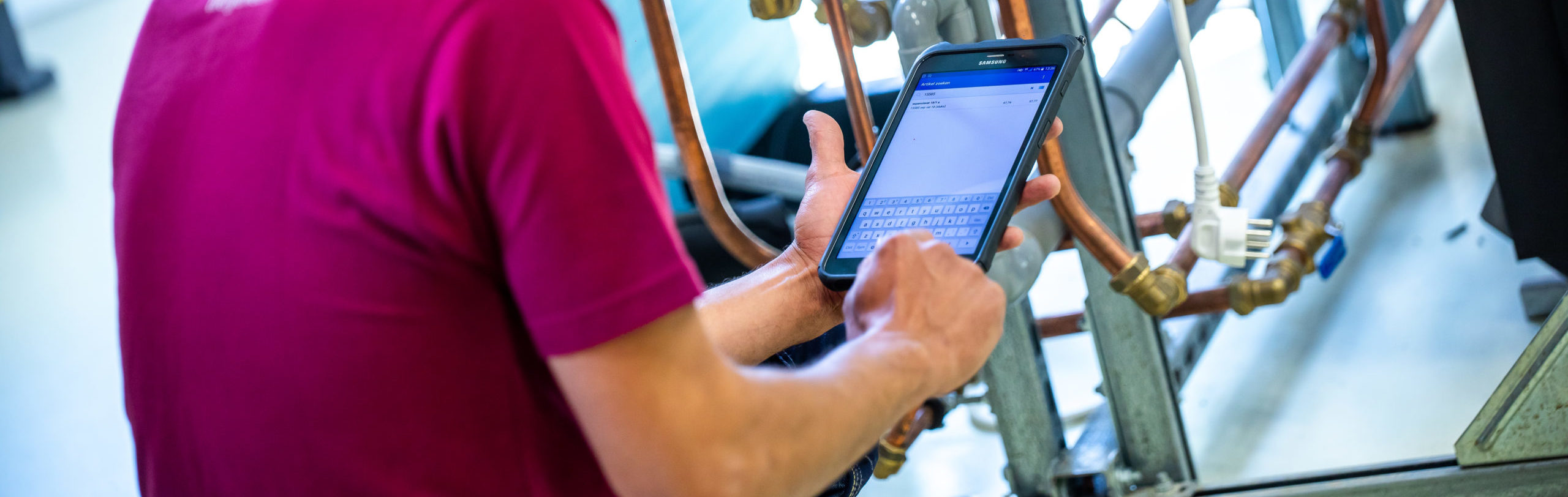
    Monteur voert gegevens in op tablet tijdens inspectie van leidingen.

    Faults resolved quickly

    Sigmax Connect helps engineers resolve faults quickly and efficiently, even outside working hours:

    • The engineer has contract information, maintenance history and product documentation quickly available in one place.
    • When identifying the issue, the engineer is automatically guided through the analysis and registration process.
      Checklists ensure nothing is forgotten.
    • Outside working hours, the engineer can view key information from the ERP system and create a job.
    • Job successfully completed? The customer signs for approval and can pay at the door.


    Request a demo

    The most useful features for installation engineering:
    Approval
    After the work has been completed, the customer signs in Connect to approve the job. For assignments with multiple objects to be serviced, the customer only needs to sign once. Customer friendly and time saving.
    Working time registration
    Correct labour time registration is essential for billing. In Connect, this process can be automated.
    Attachments
    Add photos, sketches, PDF and Excel files.
    Bundling work orders
    Combine multiple objects to be serviced into a single assignment.
    Communicate with the field service team
    Send technicians messages or documents via Connect. Technicians can also receive urgent jobs directly in Connect.
    Configurable questionnaires
    Add mandatory questions or make them dynamic by using conditional questions. The possibilities are endless.
    Register commercial opportunities
    Technicians can conclude service and maintenance contracts on site via Connect. They can also record commercial opportunities for the sales department through questionnaires.
    Customer engagement
    Automatically send customers updates about schedules and work orders.
    Direct payment
    Allow the customer to pay immediately at the door after the work is completed — directly in Connect and without an external payment terminal.
    Invoicing and payment
    Invoices are automatically generated based on time registration and used materials. Warranty conditions, contract coverage and payment terms are taken into account. Customers can then pay the invoice directly in Connect, for example via contactless payment or direct debit authorisation.
    Photos and sketches
    Add multiple photos, sketches or other attachments to your work order. Photos and attachments can be configured as mandatory or optional at various stages in your workflow.
    Integration with measuring instruments
    Automatically import measurements from external devices into Connect. Technicians no longer need to manually copy values.
    IoT support
    Insight into performance, status and exact location of assets. Automatic alerts in case of malfunctions.
    Refrigerant registration
    F gas registration is performed according to BRL100. The technician registers cylinders, records usage and returns empty cylinders to the warehouse. Every mutation is logged and synchronised with the ERP system.
    Location tree
    When a building contains multiple objects to be serviced, technicians need to know their precise locations. The location tree gives clear insight into all objects and their exact locations within Connect.
    Logistics and inventory management
    100 percent error free inventory management thanks to the registration of all item movements. Insight into your own warehouse and third party stock (e.g. nearby technicians). Correct stock differences between warehouses and check received goods.
    Material registration
    Scan used materials or add them manually. Adjust quantities and always have insight into the full item catalogue.
    Navigation and track and trace
    Address details are filled in automatically. Navigate directly via Google Maps from within Connect. Real-time insight into technician location. Automatic location registration when statuses change.
    Asset management
    In Connect, you can link objects to locations (location tree), view contractual agreements, and modify object properties. Technicians can also add new objects or replace existing ones.
    Unplanned tasks
    Technicians gain insight into unplanned tasks via Connect — ideal when they unexpectedly have time left.
    Online customer information
    In case of malfunctions outside office hours, it is efficient to have insight into payment arrears, contracts and object history beforehand. This helps the technician decide whether a work order should be created in the ERP or planning system.
    Issue registration
    Easily register a problem or defect in Connect. Based on the selected issue, the technician is guided through the analysis and registration process.
    Smart notifications
    Inform your customers proactively and in real time about the time window of planned work or changes. Customers automatically receive an email, SMS or WhatsApp message with the expected time window.
    Time registration
    Technicians quickly and easily register their worked hours or shifts in Connect.
    Schedule follow-up appointments
    If a job cannot be completed in one visit, schedule a new appointment together with the customer immediately — convenient and customer friendly.
    Stock management
    Service employees count their vehicle stock several times a year. This allows technicians to carry out stock counts between jobs without sacrificing an entire workday.
    Project work
    Work with multiple technicians on one project and gain insight into each other’s activities. Create structure in projects, visits and tasks. Access previously completed visits and activities as part of the project.
    Sigmax successful case studies

    Carglass

    Every day, 350 Carglass mechanics, from 58 branches and a mobile service, provide expert repairs and car windscreen replacements. To provide a fast service to customers across the country, Carglass digitized its service planning and work orders using Connect, the field service software from Sigmax.

    Read this caseCheck all cases

    Maas International

    To ensure customers can enjoy their daily cup of coffee, Maas International sends out around 800 technicians and operators to maintain, refill, and repair the machines wherever needed. Connect provides optimal support for both the technicians and planners in this task.

    Read this caseCheck all cases

    Saval

    Before, the technicians at fire safety specialist Saval planned their own routes and manually kept track of inspection reports. Now everything is digital thanks to the software solutions from ORTEC and Sigmax Field Service Solutions.

    Read this caseCheck all cases

    Welzorg

    The more than 80 service engineers at Welzorg repair mobility aids such as rollators, mobility scooters and wheelchairs every day. “Connect enables us to help our customers quickly and in the most efficient way possible,” says Sabine Doets, ICT Manager at Welzorg. Connect also schedules and assigns (emergency) repairs and calculates the most optimal routes for the engineers. The mobile application supports them in carrying out their work on location.

    Read this caseCheck all cases

    Curious about the possibilities of Connect for your installation company?

    Want to know how Sigmax Connect can also make your field service team work more efficiently? Request a free demo, no strings attached!

      You will receive a response from us within a few working days